

Help Center Answer Questions
How to import orders with the CSV template?
2026-09-30 02:41:09
1316
Step 1: Select the order type of Offline order CSV; Download [Offline order improt template] at the bottom of the page.
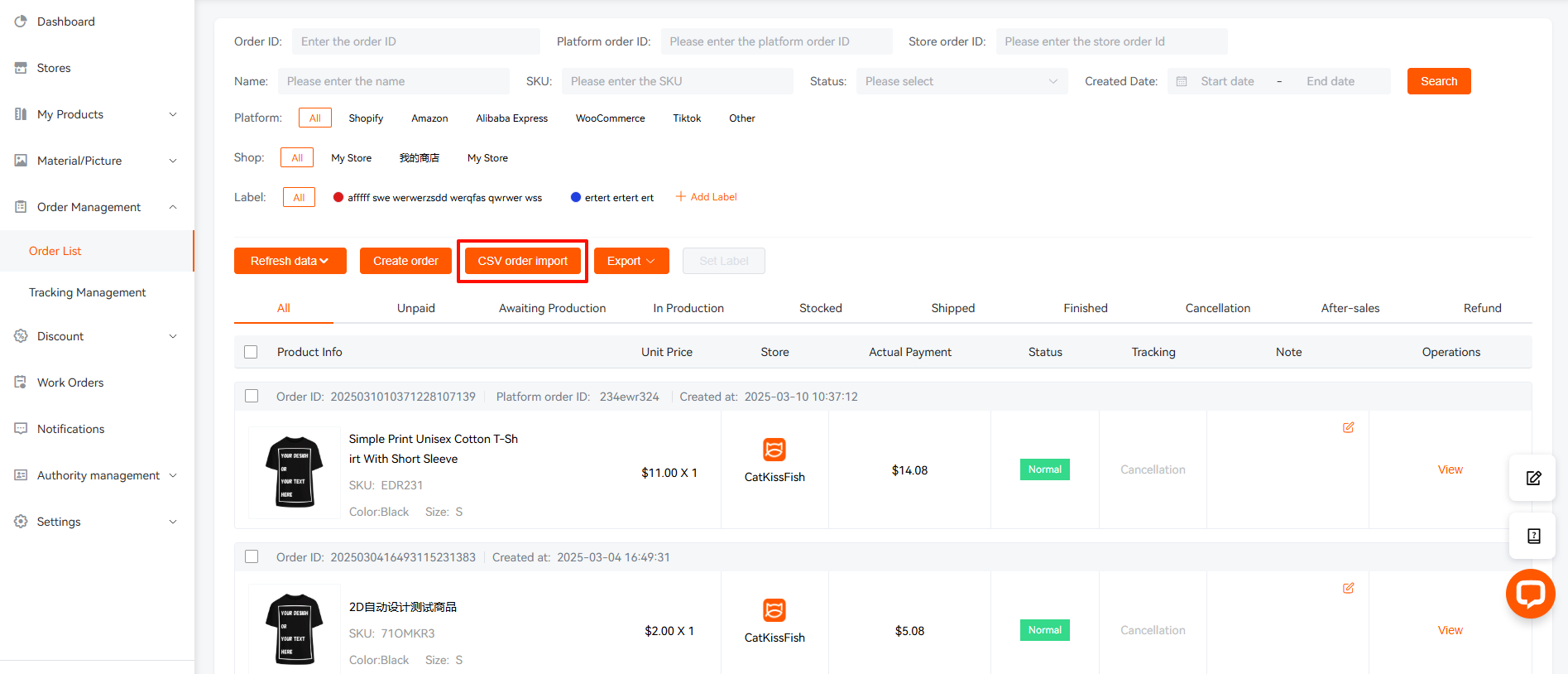
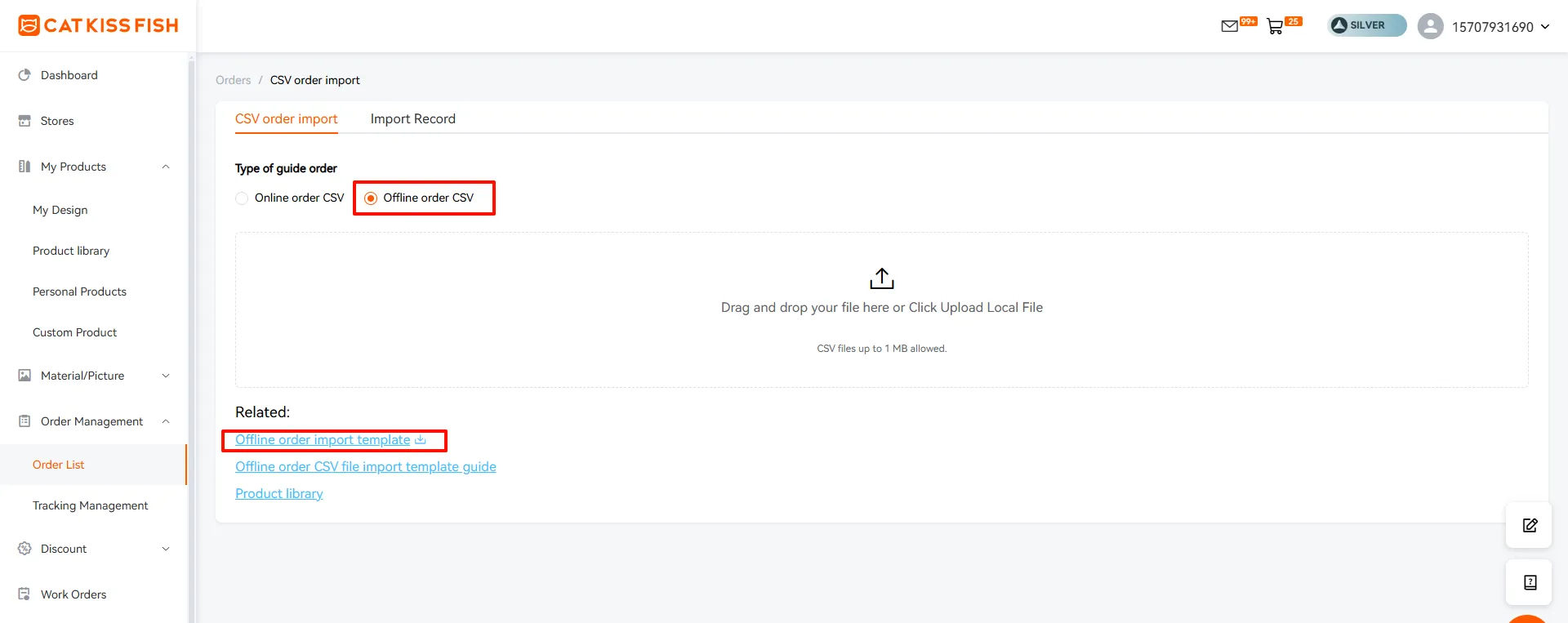
Step 2: Follow the guide below to fill out the order details:
The Printable Design Area and Size Requirements fields are marked as Print on demand¹. Fill in the CSV form as follows:
Platform Order ID: Your platform order ID filled in when placing an order, required
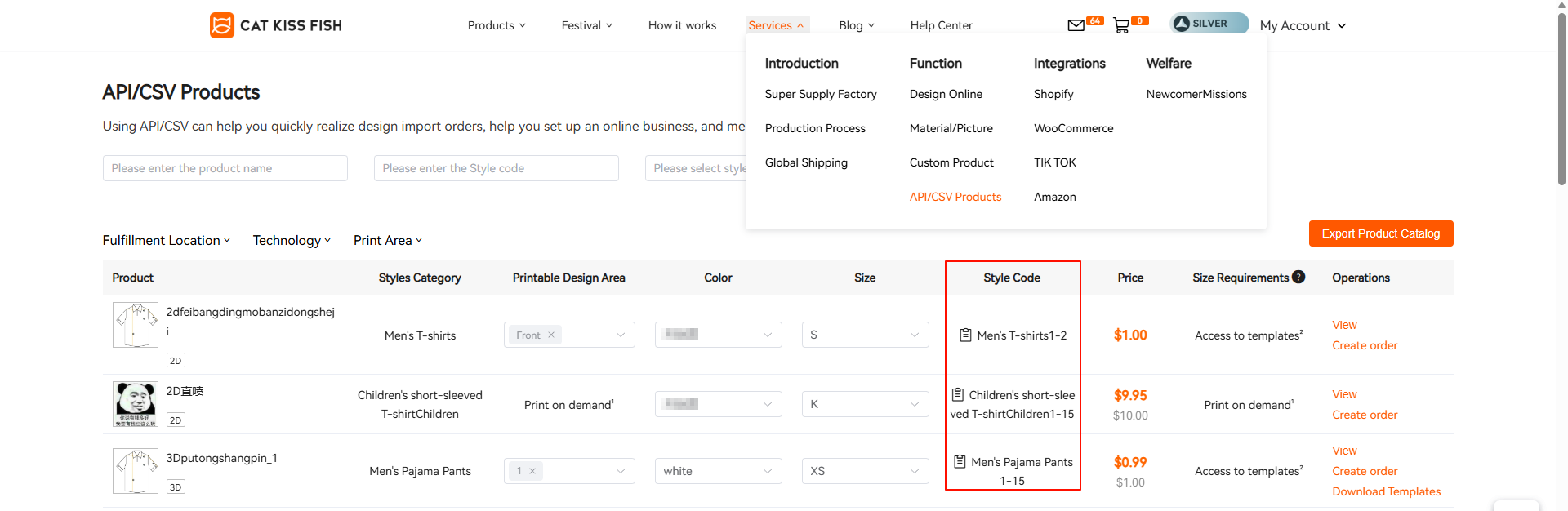
Style Code: Please click on the style number in the product library list to inquire about product details. Required fields
Quantity: The quantity of a specific order item
Product Name: Required
Email: Email format must be used, optional
Phone: Customer phone number, optional
Prcipient Name: Recipient name, required
Country: The shipping address is the customer's Country, please convert it to Alpha-2 country code, required
Province/State: The province/state where the customer is located, required
City: The customer's city is the delivery address, required
ZipCode: zip code of customer mailing address, required
Address: Customer's delivery details, required
Country Code: Customer country code, required
Shipping ID: Find the shipping number in "Shipping Information Query", required
Design:Provide links to design material drawings of products, limited to 20, use multiple drawings "," isolation
Mockup:Provide links to renderings of products, limit 20, use multiple pictures "," isolate
Embroidery Mockup:If you wish to add embroidery, please fill this out.
Embroidery Design:If you wish to add embroidery, please fill this out.
Mockup _ Front: No need to fill in
Mockup _ Back: No need to fill in
Mockup _ Left:No need to fill in
Mockup _ Right:No need to fill in
Design _ Front:No need to fill in
Design _ Back:No need to fill in
Design _ Left: No need to fill in
Design _ Right:No need to fill in
Design _ 1~50:No need to fill in
The Size Requirements field is labeled Access to templates². Fill in the CSV form as follows:
Platform Order ID: Your platform order ID filled in when placing an order, required
Style Code: Please click on the style number in the product library list to inquire about product details. Required fields
Quantity: The quantity of a specific order item
Product Name: Required
Email: Email format must be used, optional
Phone: Customer phone number, optional
Prcipient Name: Recipient name, required
Country: The shipping address is the customer's Country, please convert it to Alpha-2 country code, required
Province/State: The province/state where the customer is located, required
City: The customer's city is the delivery address, required
ZipCode: zip code of customer mailing address, required
Address: Customer's delivery details, required
Country Code: Customer country code, required
Shipping ID: Find the shipping number in "Shipping Information Query", required
Design:No need to fill in
Mockup:Provide links to renderings of products, limit 20, use multiple pictures "," isolate
Mockup _ Front: No need to fill in
Mockup _ Back: No need to fill in
Mockup _ Left:No need to fill in
Mockup _ Right:No need to fill in
Design _ Front:No need to fill in
Design _ Back:No need to fill in
Design _ Left: No need to fill in
Design _ Right:No need to fill in
Design _ 1~50:Please download our template and Design your material map in this template. Fill in the corresponding Design link of the material map according to the serial number of the cut piece in the template. Example: https://youtu.be/eoLNRFJT2ZQ
Size Requirements field is labeled Front: 4724*7087px, Back: 7087*7087px... Fill in the CSV form as follows:
Platform Order ID: Your platform order ID filled in when placing an order, required
Style Code: Please click on the style number in the product library list to inquire about product details. Required fields
Quantity: The quantity of a specific order item
Product Name: Required
Email: Email format must be used, optional
Phone: Customer phone number, optional
Prcipient Name: Recipient name, required
Country: The shipping address is the customer's Country, please convert it to Alpha-2 country code, required
Province/State: The province/state where the customer is located, required
City: The customer's city is the delivery address, required
ZipCode: zip code of customer mailing address, required
Address: Customer's delivery details, required
Country Code: Customer country code, required
Shipping ID: Find the shipping number in "Shipping Information Query", required
Design:No need to fill in
Mockup:No need to fill in
Mockup _ Front: According to the surface you need to design, fill in the rendering link here,only one can be filled.
Mockup _ Back: According to the surface you need to design, fill in the rendering link here,only one can be filled.
Mockup _ Left:According to the surface you need to design, fill in the rendering link here,only one can be filled.
Mockup _ Right:According to the surface you need to design, fill in the rendering link here,only one can be filled.
Design _ Front:According to the surface you need to design, fill in your material map link, only one can be filled in.
Design _ Back:According to the surface you need to design, fill in your material map link, only one can be filled in
Design _ Left: According to the surface you need to design, fill in your material map link, only one can be filled in.
Design _ Right:According to the surface you need to design, fill in your material map link, only one can be filled in.
Note:
When you fill in Mockup _ Front, the corresponding Design _ Front is required.
Do not change the contents of the first line and fill in all required fields.
Get the variant link:
Step 3: After the csv is completed, upload the file to CatKissFish; And check whether the documents are filled out correctly;
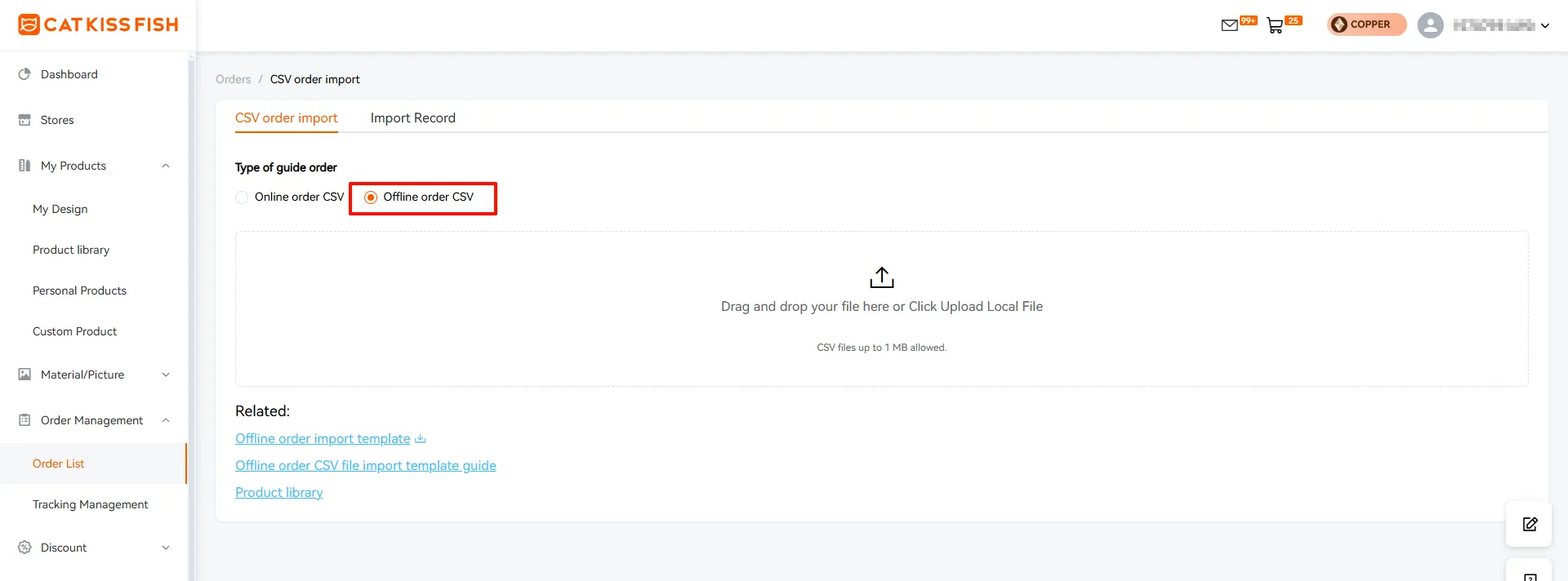
If there are any wrong items, you can click above to view the reason for the error in the guide order and correct it and re-upload it; Or delete the wrong item directly and click to submit the correct data;
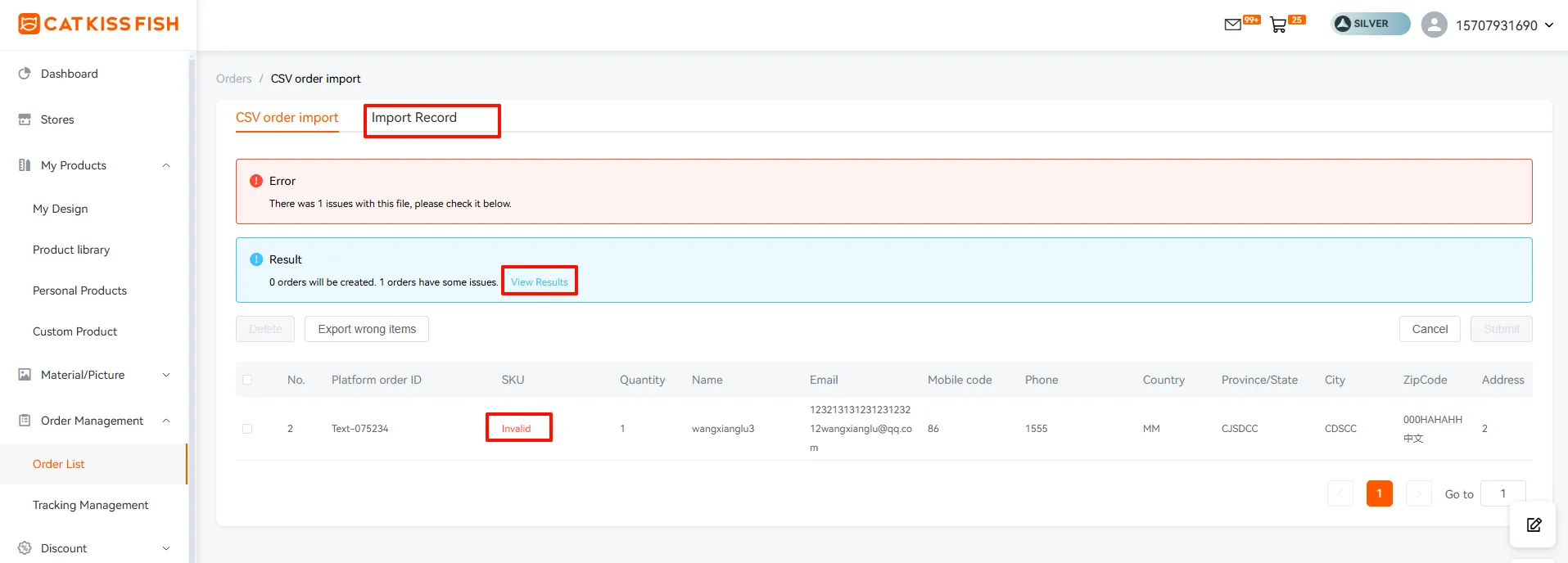
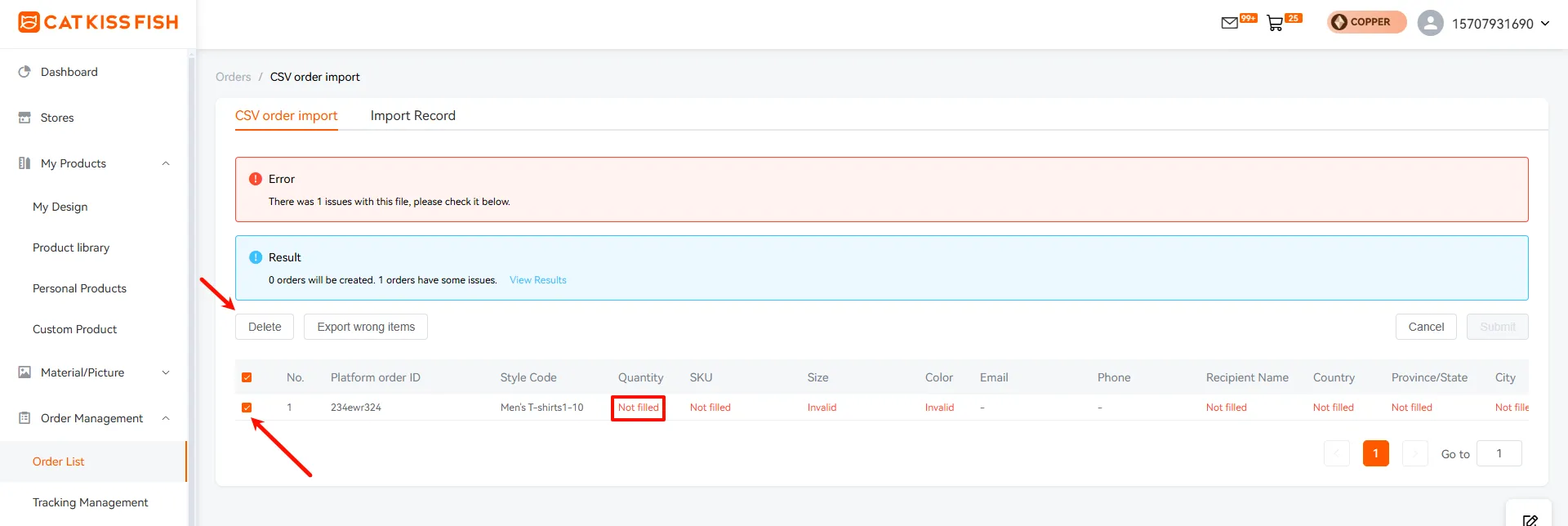
You can view information about errors and results. Cells entered incorrectly will show three states:
Not filled in: Value required.
Invalid: Bad format.
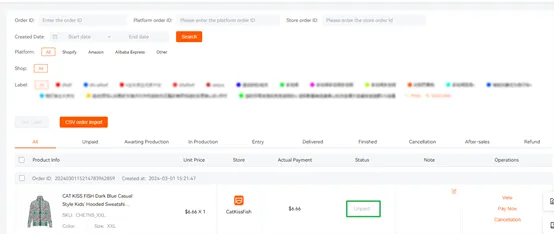
Step 4: Submit and pay on the order page.
Other relevant information:
How to classify and manage accessories?
How do I place an order for items with embroidery?
Still need help?
Click on the bottom right corner to contact us now and fill in your e-mail address to subscribe to us now!
Experience print-on-demand with Cat Kiss Fish in just six steps!
Create an account
Sign up and enjoy the free designer and tons of clips immediately!
Design Products
There are various design modes in the design, custom material, color editor, free gallery, material categorization.
Affiliated stores release products
Simply connect with your store and we can co-supply a steady stream of stock to sell your designs to consumers!
Order synchronization
After placing an order with CatKissFish, you can be updated on the status of your order in real time to keep track of the delivery progress.
Factory production
We have a large supply chain to provide you with goods security in production orders, commitment to the fastest production for you!
Logistics worldwide one piece shipment
We have more logistics providers to cooperate with, so that your goods will be delivered to you in the shortest possible time!
Find out more
Discover CATKISSFISH's complementary services and unique culture!
You may also like

Customers can participate in the whole process of product design and manufacturing, to meet the personalized needs of the one-stop design platform.
Copyright © 2026 CatKissFish ICP No.2021011063-1

$240 OFF
For New
Work Orders
Help center