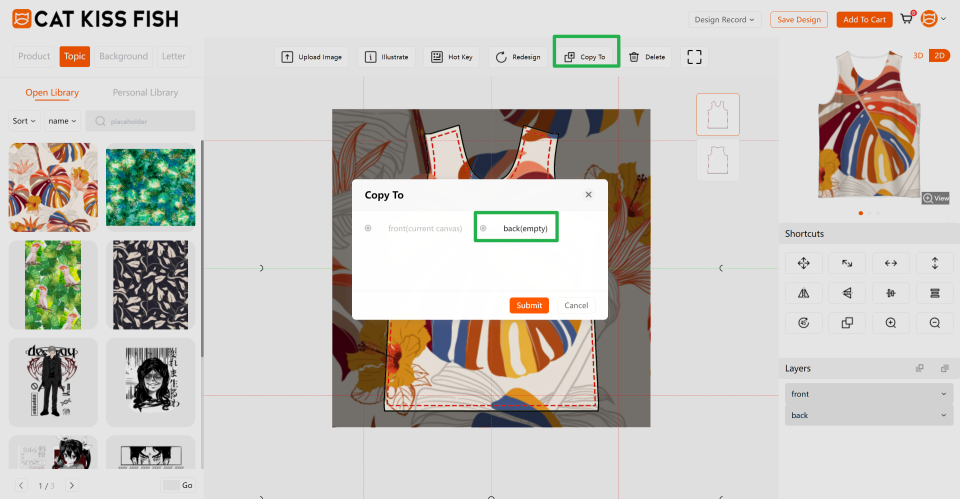
How do I copy a design to other cuts?

2026-11-04 12:28:17
785


     Click on the "Copy To" button on the top of the cut out piece you have designed.

     Note: This function is only performed with the rest of the cuts that have no design information.

   Copy To dialog in the Customizer with the Copy To toolbar button and the back(empty) target highlighted.


print on demand
$240 OFF
For New
Work Orders
Help center