

Help Center Answer Questions
How to integrate with TikTok?
2025-05-22 11:56:59
2807
1. Log in to the Catfish website and click on "My Account".
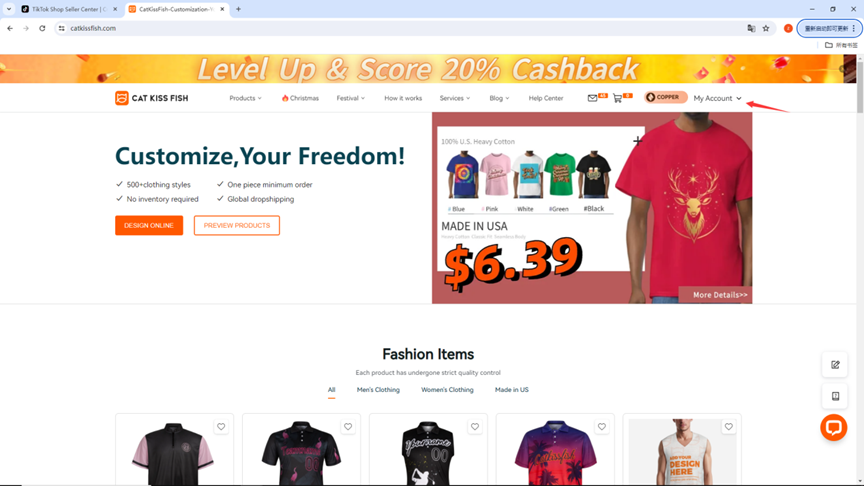
2. Click on "Stores" and "Add New Store".
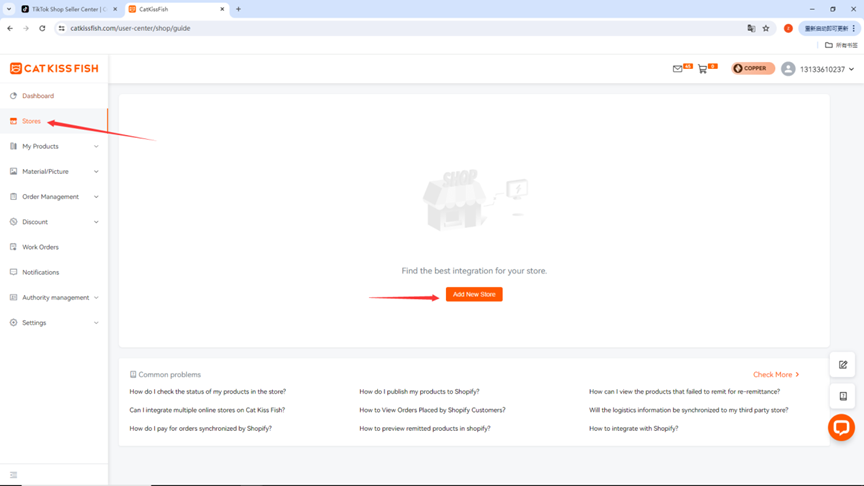
3. Click "Connect" in the TikTok module.
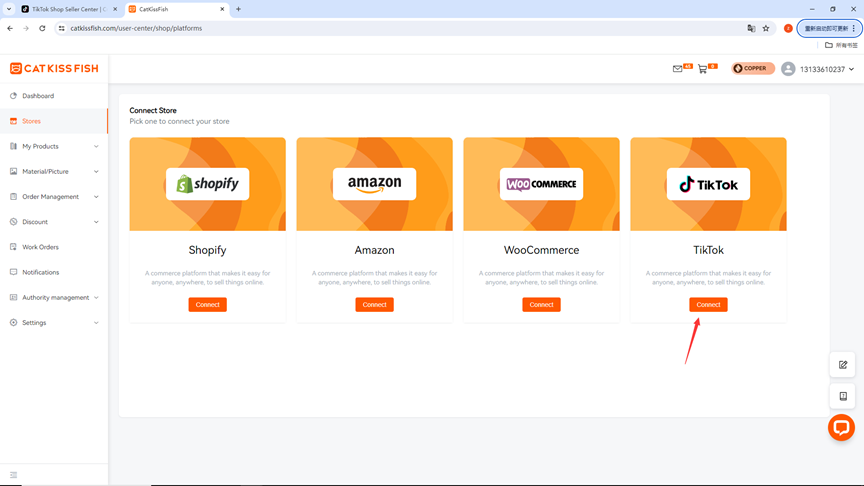
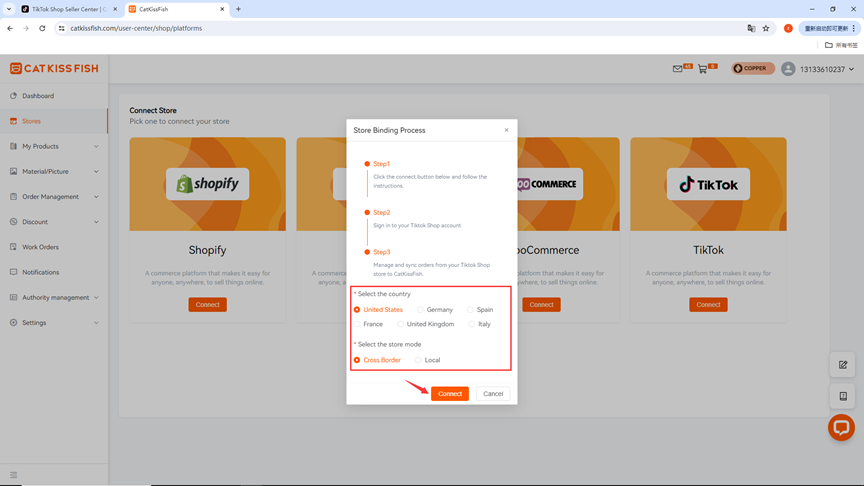
4. Select the target market and store type for your TikTok store and click "Connect".
5、点击“Install”
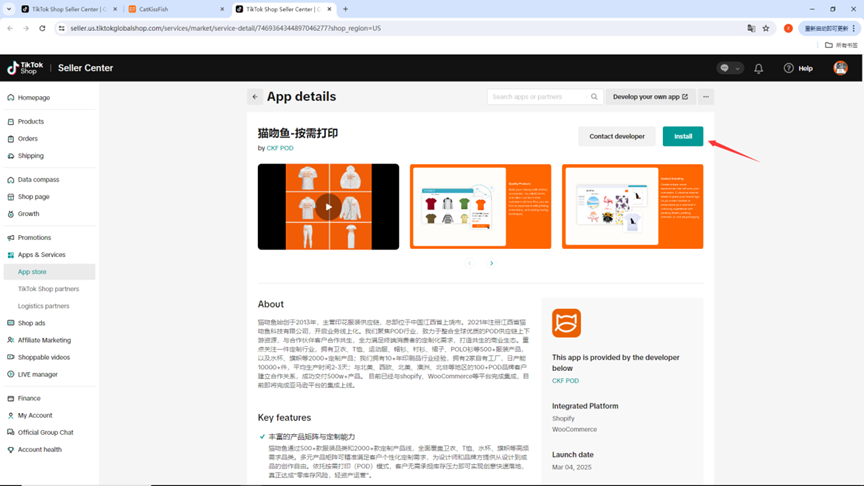
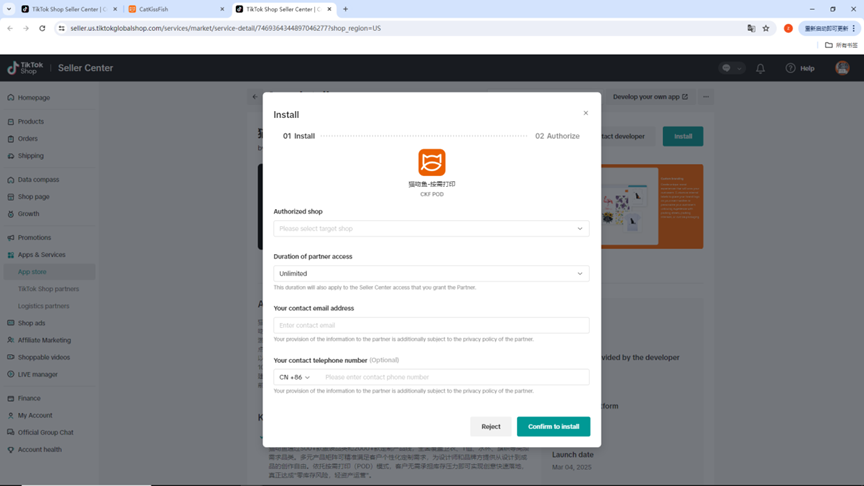
6、Fill in the installation information
> In "Authorized shop", select your store.
> In "Duration of partner access", customize your authorization time.
> Fill in your email address and number
> Click "Confirm to install".
Still need help?
Click on the bottom right corner to contact us now and fill in your e-mail address to subscribe to us now!
Experience print-on-demand with Cat Kiss Fish in just six steps!
Create an account
Sign up and enjoy the free designer and tons of clips immediately!
Design Products
There are various design modes in the design, custom material, color editor, free gallery, material categorization.
Affiliated stores release products
Simply connect with your store and we can co-supply a steady stream of stock to sell your designs to consumers!
Order synchronization
After placing an order with CatKissFish, you can be updated on the status of your order in real time to keep track of the delivery progress.
Factory production
We have a large supply chain to provide you with goods security in production orders, commitment to the fastest production for you!
Logistics worldwide one piece shipment
We have more logistics providers to cooperate with, so that your goods will be delivered to you in the shortest possible time!
Find out more
Discover CATKISSFISH's complementary services and unique culture!
You may also like

Customers can participate in the whole process of product design and manufacturing, to meet the personalized needs of the one-stop design platform.
Copyright © 2026 CatKissFish 赣ICP备2021011063号-1

$240 OFF
For New
Work Orders
Help center